We’re continuing to expand Asodesk’s functionality and are excited to announce the launch of our integration with Huawei AppGallery for user review management.
You and your team can now fully manage reviews from Huawei AppGallery directly in Asodesk — all within the same interface as the App Store and Google Play.
Available Features in the Huawei AppGallery Integration
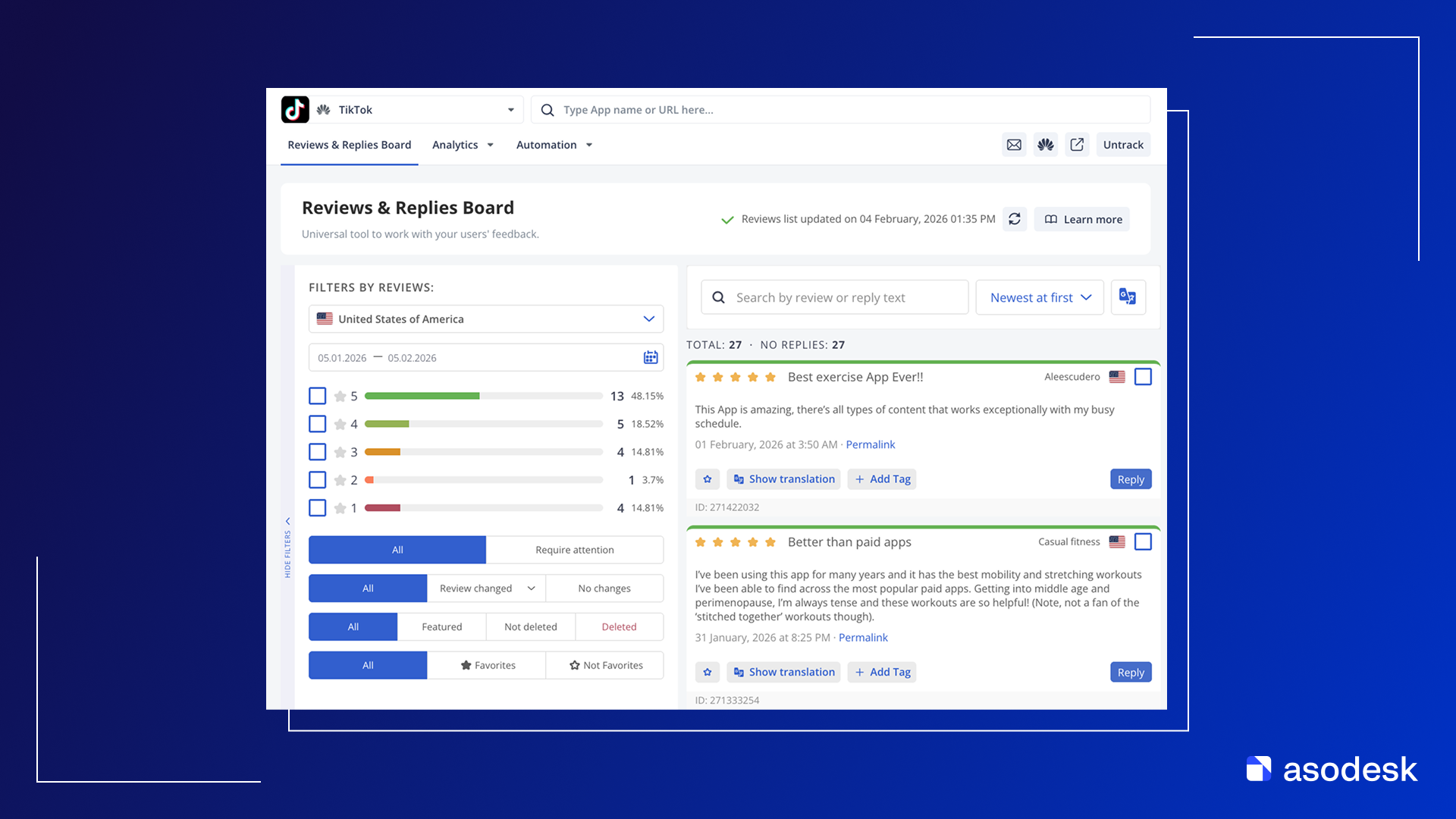
The integration with Huawei AppGallery Connect enables you to respond to user reviews using the Reviews & Replies Board in Asodesk.
The Reviews & Replies Board is Asodesk’s core tool for managing app reviews. It streamlines the review monitoring process across app stores, ensuring that no valuable feedback goes unnoticed.
User reviews from AppGallery will be automatically pulled into Asodesk every 30 minutes, allowing your team to handle user feedback as quickly and efficiently as possible.
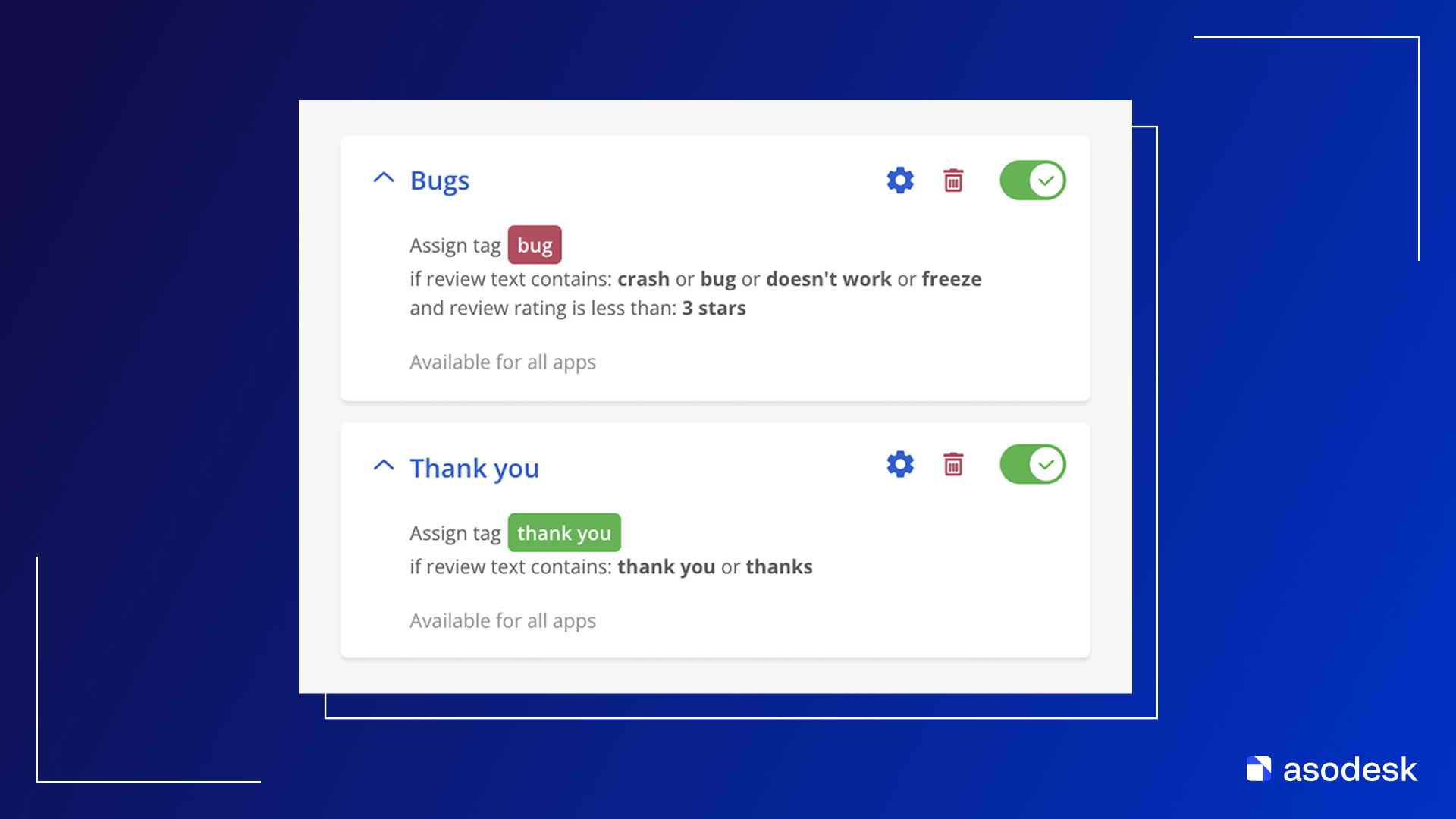
Auto-tags is a tool that helps you categorize user reviews to identify trends and recurring issues.
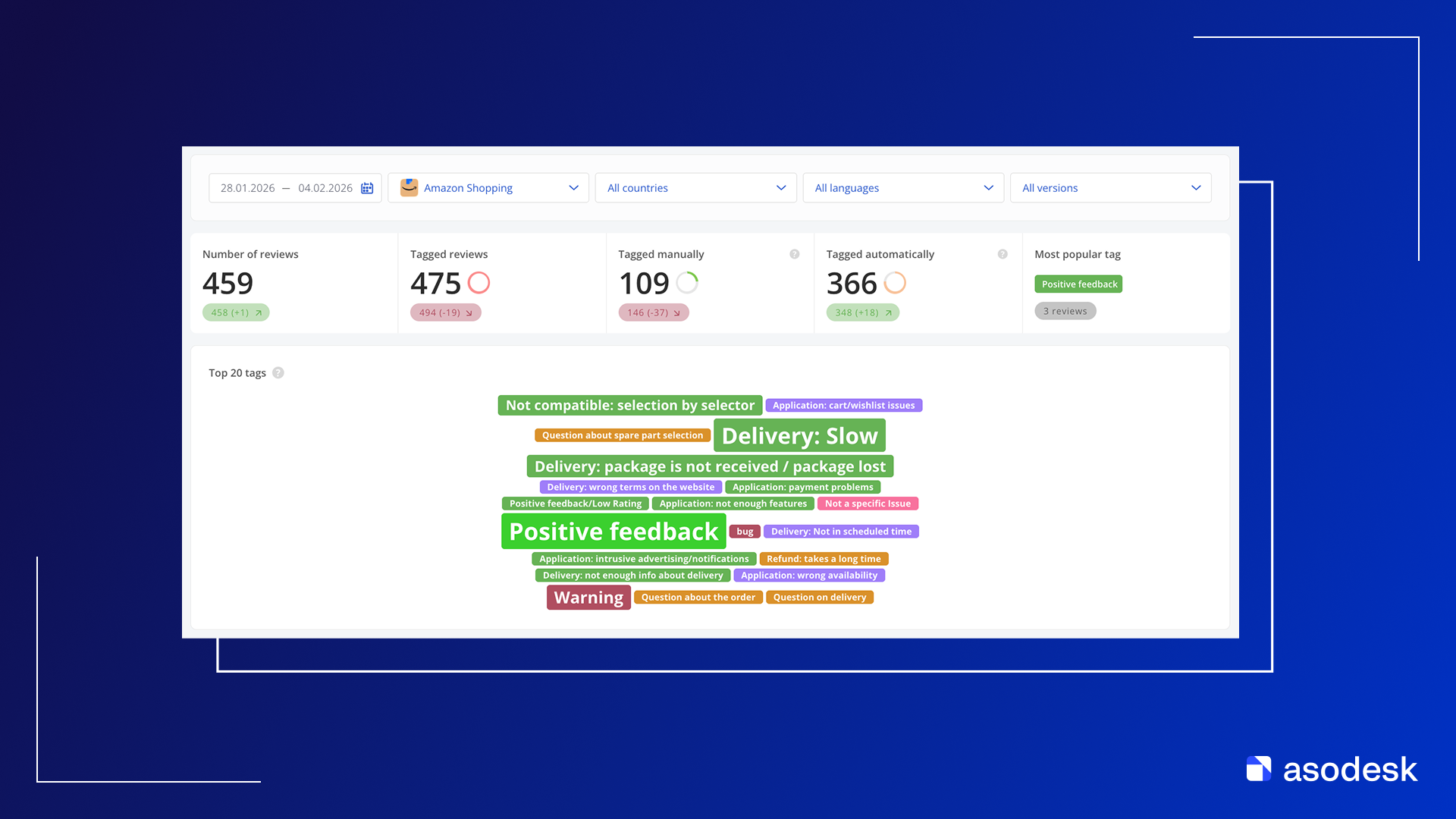
With Tags Analysis, you can analyze reviews from your AppGallery app that are marked with specific tags.
Tags Analysis allows you to select a time period for review analytics and compare it with a previous one. For example, you can compare data from this week to last week to gain valuable insights for your ASO strategy.
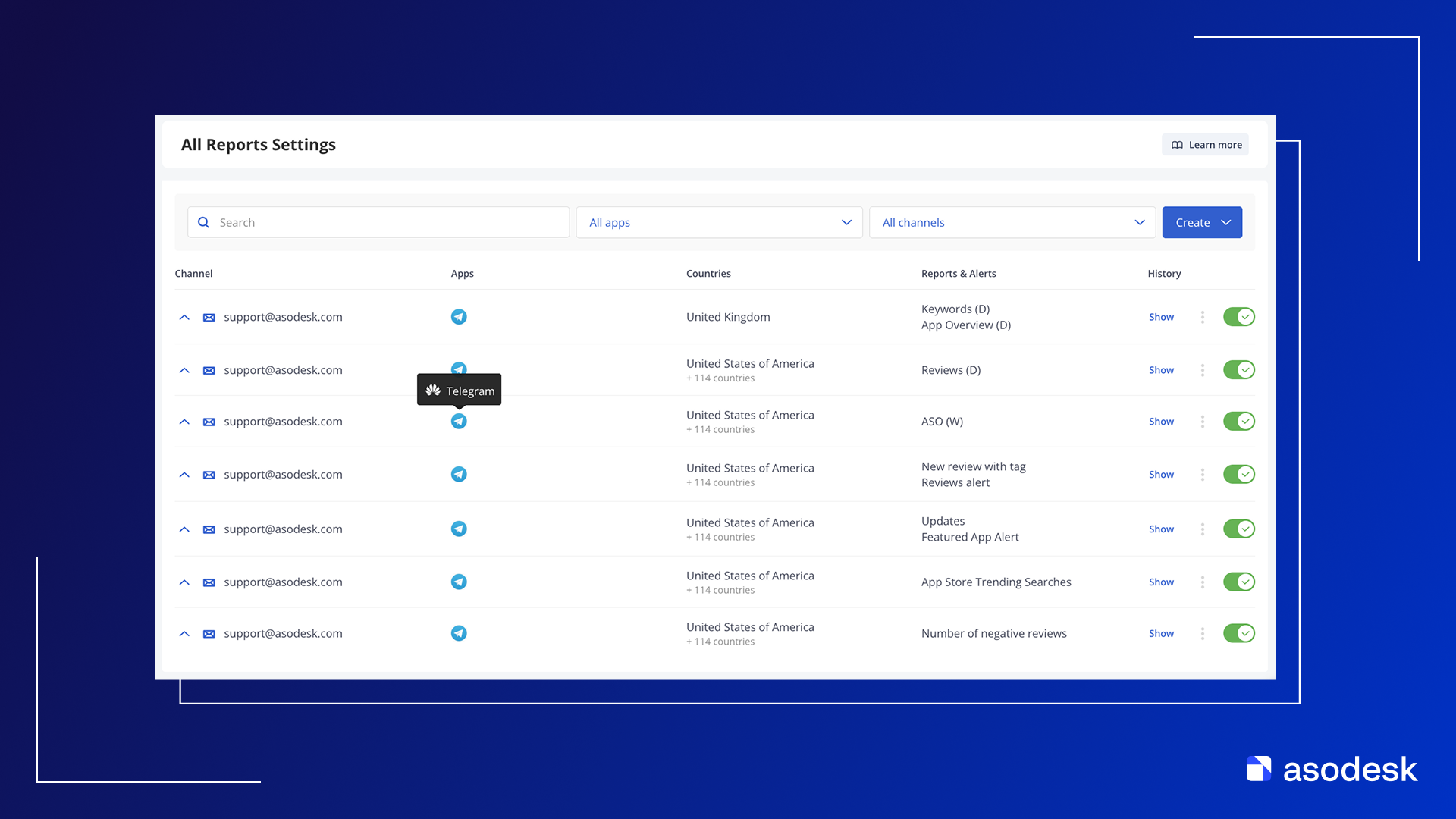
In the All Reports Settings tab, you can view a list of all reports ever received for your AppGallery app. You can also filter reports by type, app, or search by name or keywords.
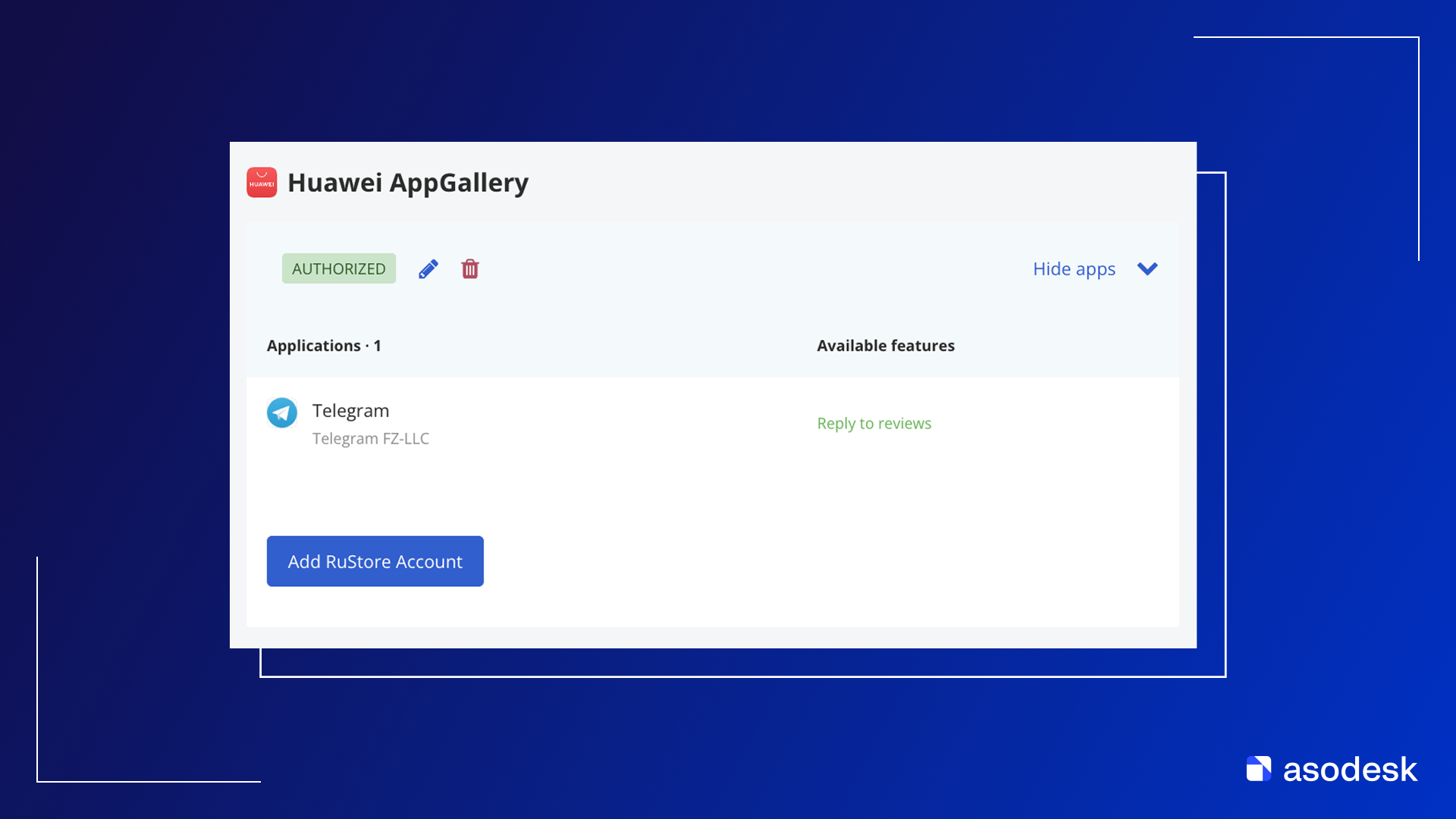
Huawei AppGallery functionality is activated individually upon request. To enable the integration, please contact us via the chat or reach out to our manager on Telegram: @Kate_Leonenko.
Coming soon: Integration with Samsung Galaxy Store — stay tuned for updates!
The post Asodesk now integrates with Huawei AppGallery for review management first appeared on Asodesk Blog.